All-in-one kindergarten management
Sole Product Designer
Product strategy, UI/UX, Prototyping
Diguidou
Apr 2022 – Sep 2024





context
Diguidou is an AI-powered platform that helps kindergartens run daily operations across three audiences: administrators, educators, and parents.
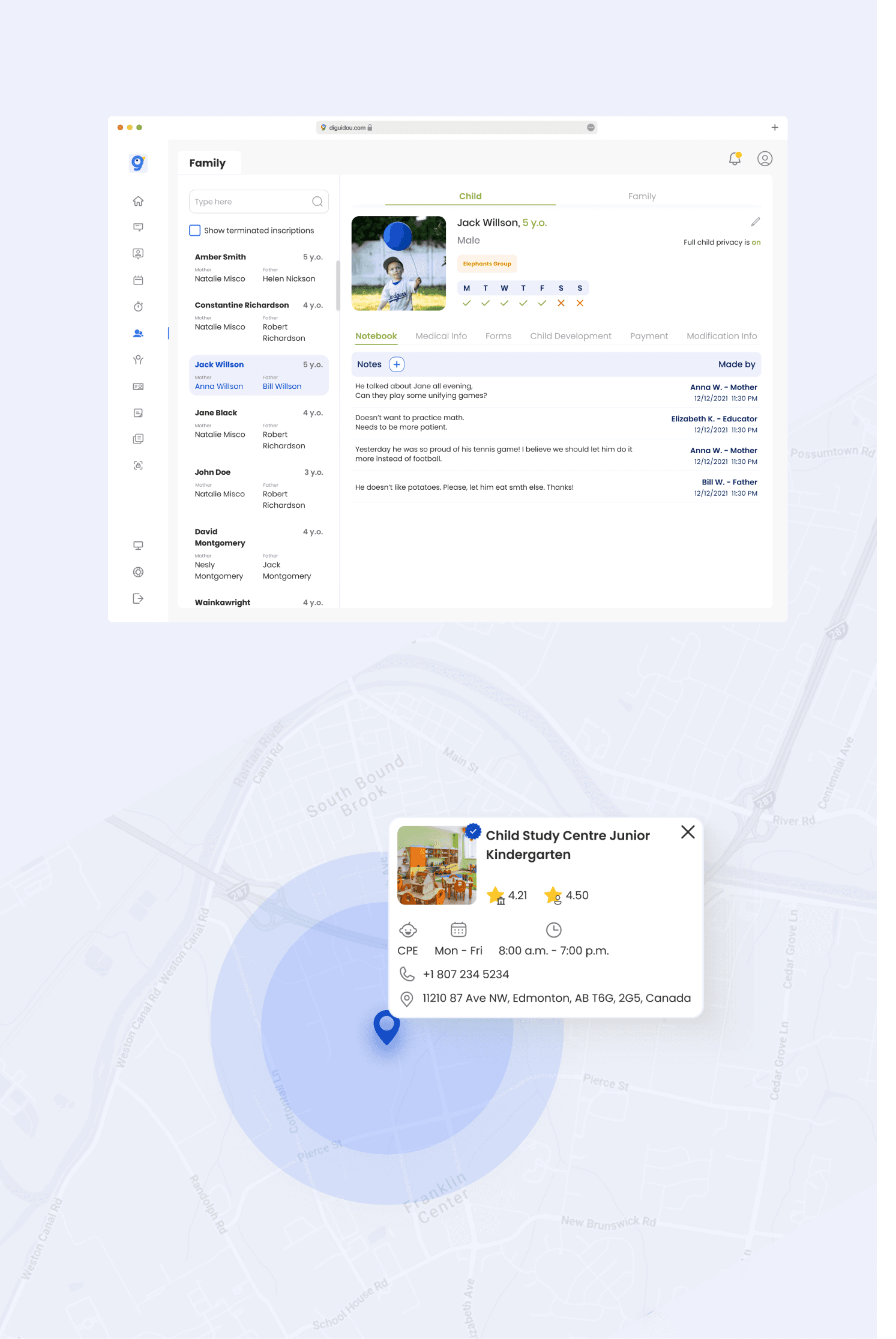
I joined as the sole designer at an early stage and defined the product structure, key workflows, and UI for modules like compliance forms, family/child profiles, activity planning, and parent–educator communication.
problem
Research with 52 participants confirmed the biggest pain: juggling multiple tools and missing requirements.
Kindergartens relied on scattered tools (boards, spreadsheets, messengers), making compliance tracking and parent coordination manual and error-prone.
62%
of administrators/educators use multiple tools to manage operations
75%
said they want everything in one place
20%
reported it’s challenging to keep up with required kindergarten forms
Collaboration
Surveys (52 responses)
Interviews with administrators
Interviews with child development specialists
Competitor review
Stakeholder feedback loops
Hallway testing
Solution overview
Action
Designed a role-based platform that balances consistency and flexibility: one shared UI foundation to reduce dev complexity, with targeted role-specific components for admin, educator, and parent needs.
what was built (high level)
Kindergarten admin platform
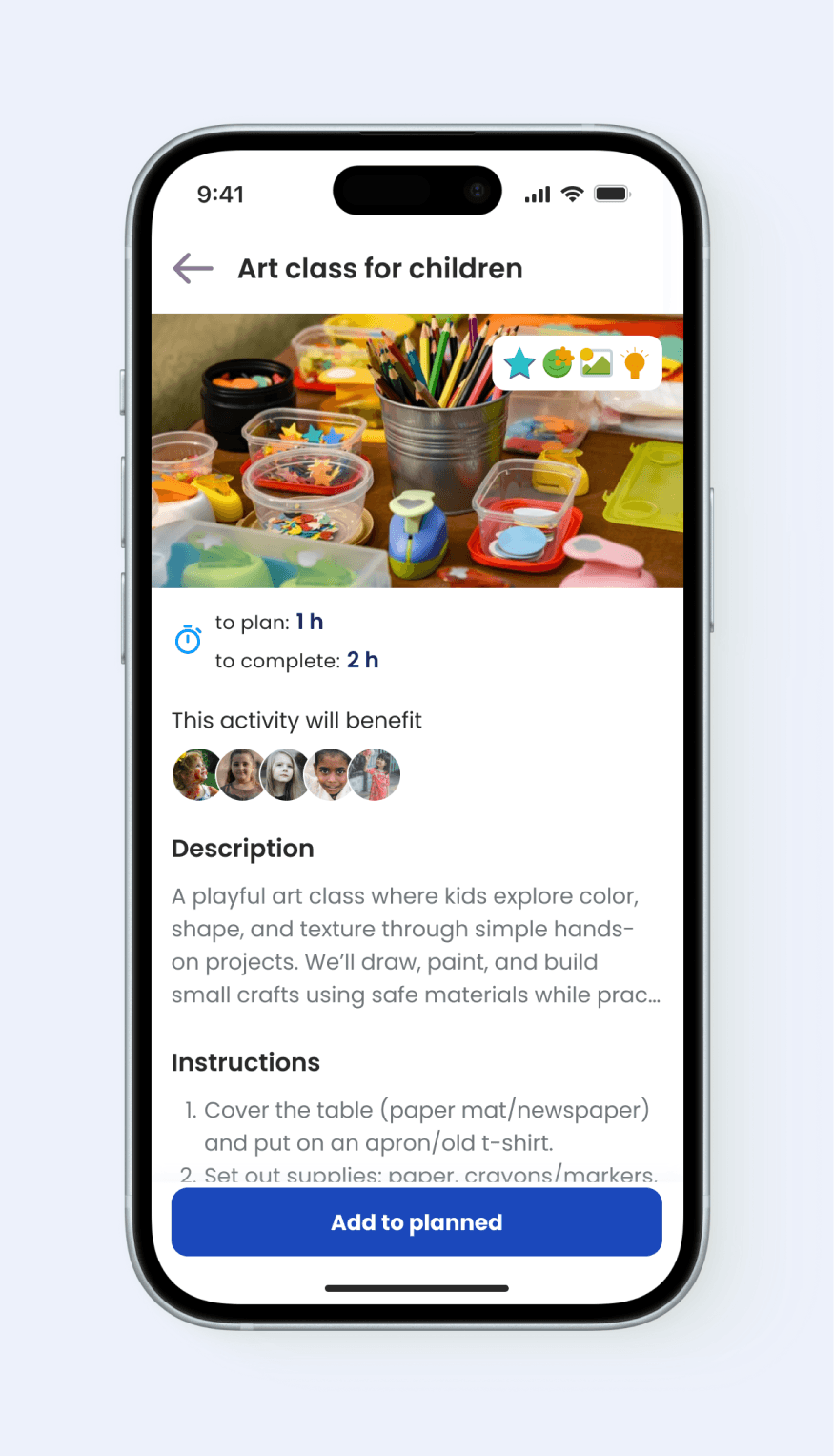
Enrolments and contracts, family and child records, compliance forms, operational visibility, child development process and activities recommendations
Parent platform
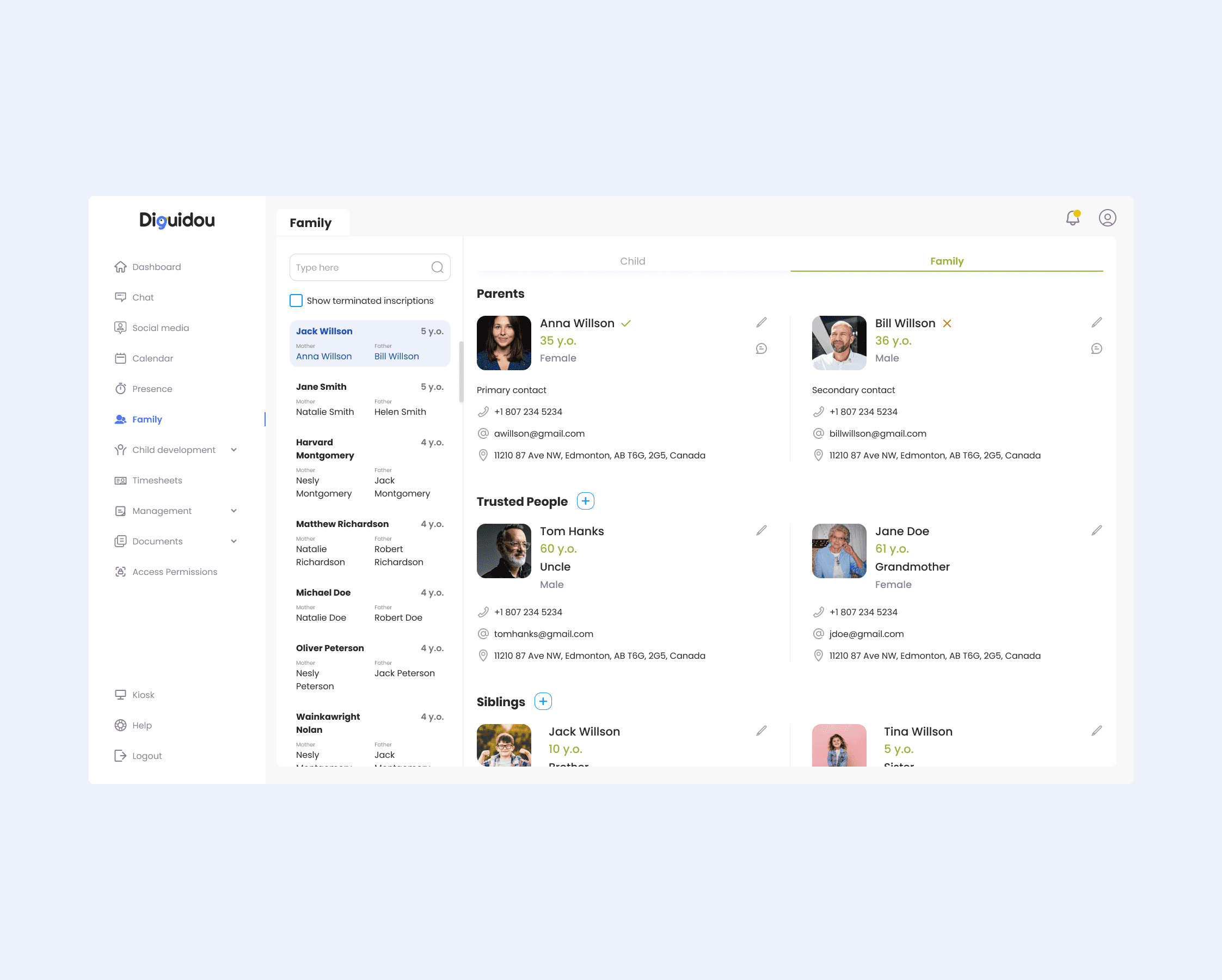
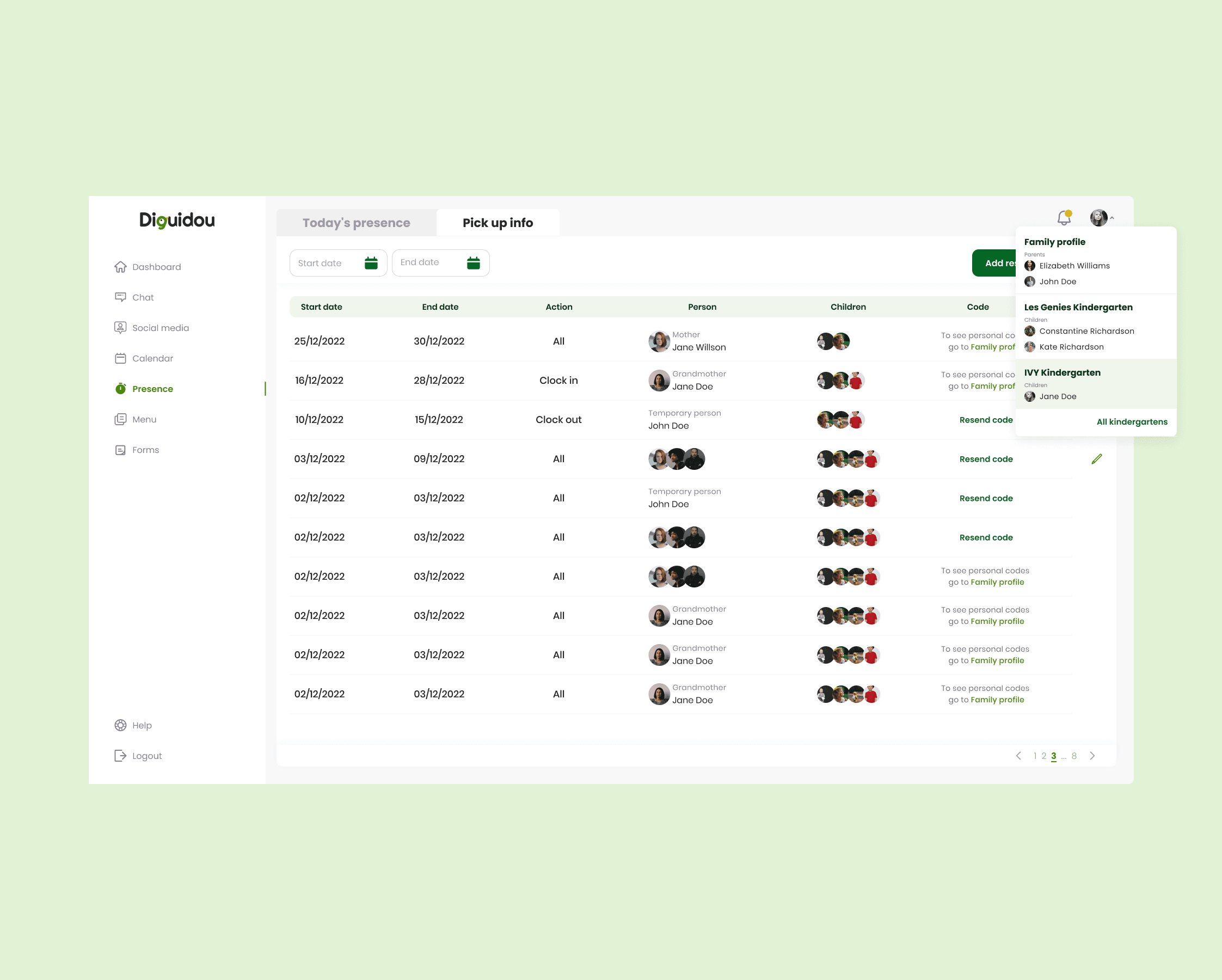
Daily updates, chat, child development visibility, trusted pickup contacts
Educator platform
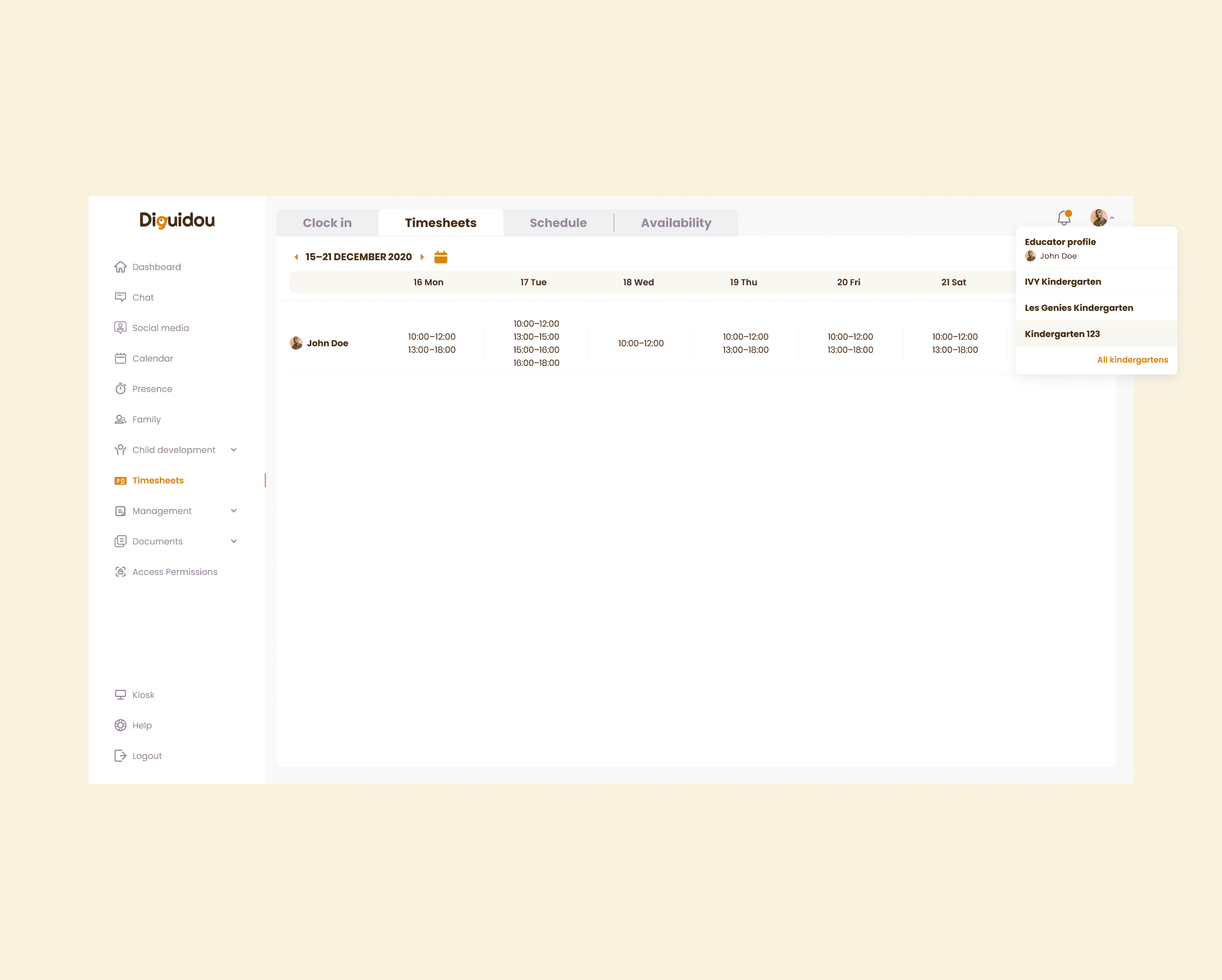
Activity planning, child profiles, forms completion by group
Deep dive 1
Compliance forms
problem
Canada’s required forms were difficult to track and easy to miss. Kindergartens must maintain documentation for provincial compliance, safety, and parent communication—missed deadlines create operational risk.
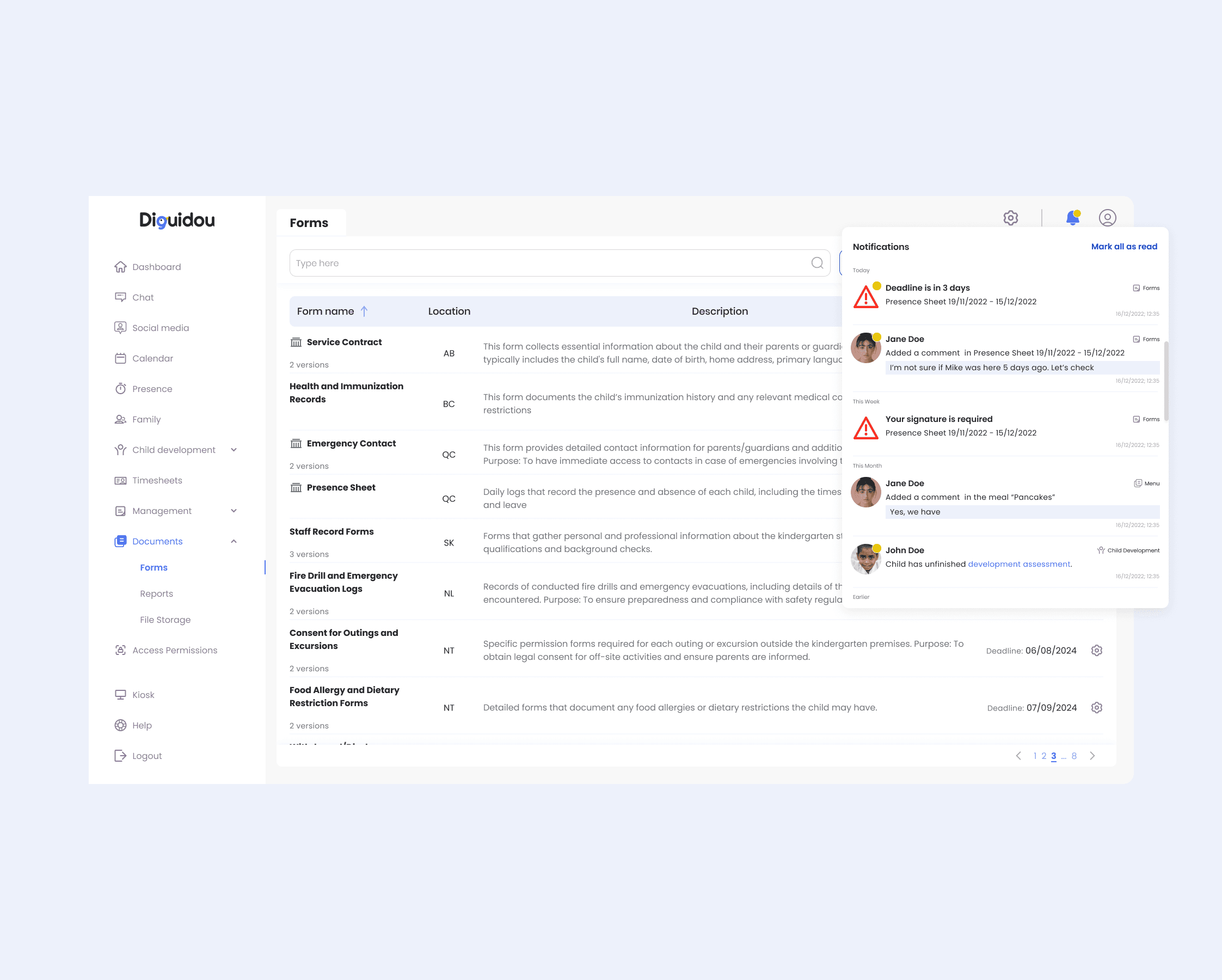
I designed a status-based forms workflow with deadlines and action-triggered notifications.
What I designed
Single source of truth → Fast compliance overview without spreadsheets (everyone sees what’s pending and who owns it)
Educator-owned by group → Clear accountability per group, fewer handoffs, less “who’s responsible?” confusion
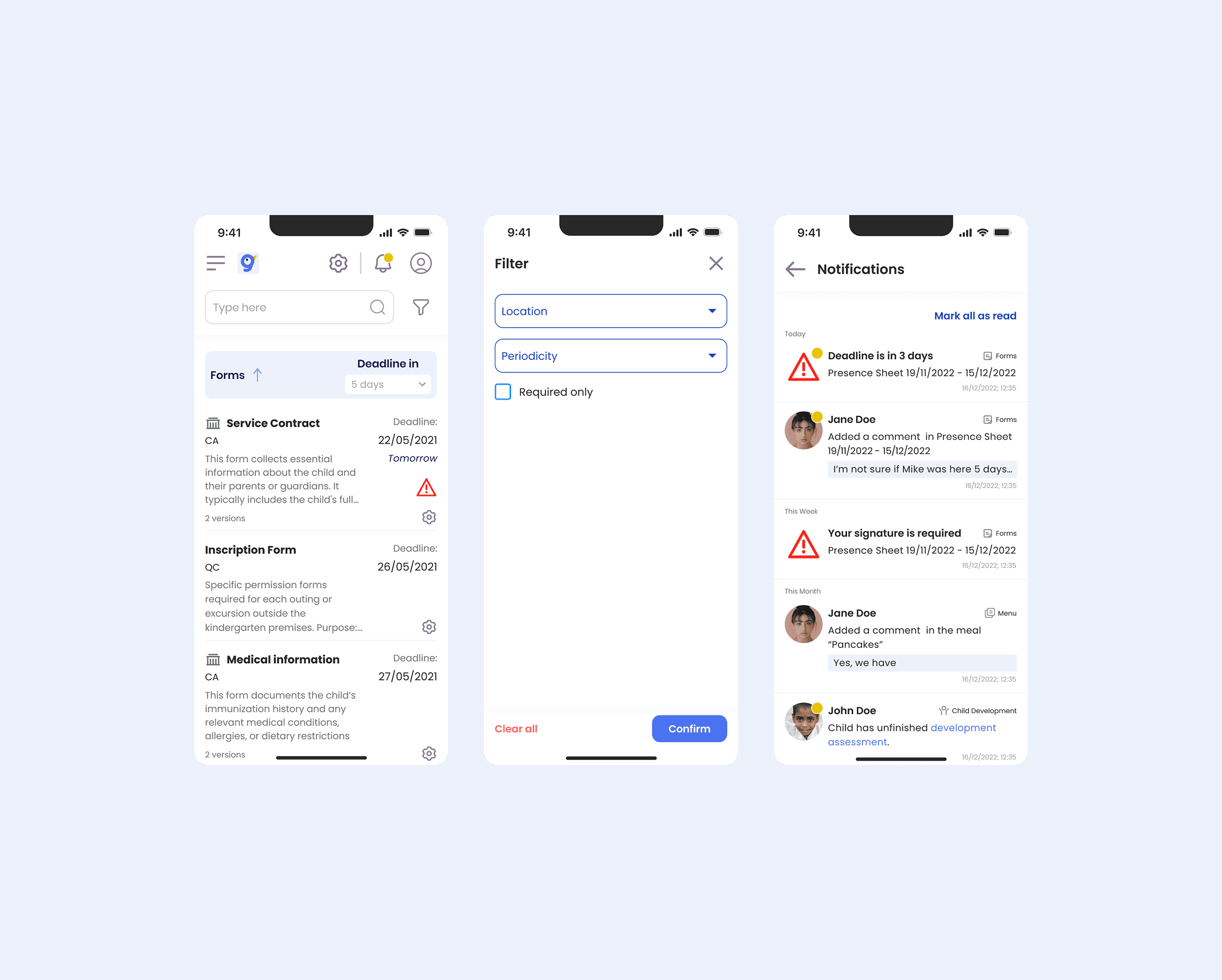
Status and due dates → Faster prioritization and fewer missed deadlines (staff can act immediately)
Action-triggered notifications → Less manual follow-up and a smoother path to on-time completion
Validation
(QUALITATIVE, pre-launch feedback)
Aligns with how educators work
Forms are organized by group, so responsibility matches day-to-day routines
Priorities are obvious
Status + due dates helped educators identify the next actions faster than a basic list
Less manual follow-up
Action-based notifications reduced the need to chase missing forms
Easier to audit
A single forms hub made it simpler to check progress and coverage in one place
Deep dive 2
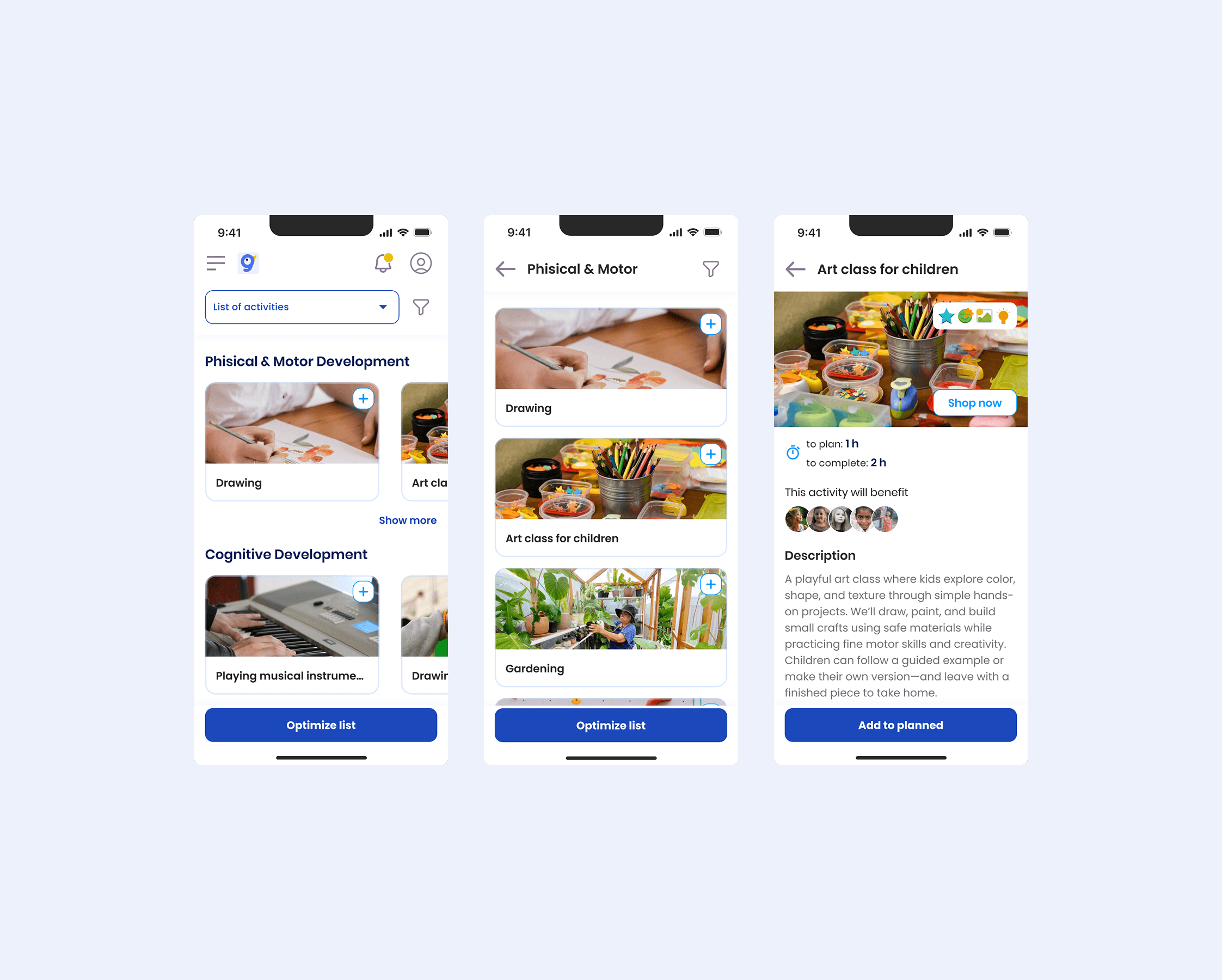
Child development profiles & recommendations
problem
Educators needed a consistent way to track each child’s progress and tailor activities, but observations were scattered and hard to turn into an actionable plan. Parents also lacked a clear view of development progress and “what to do next.”
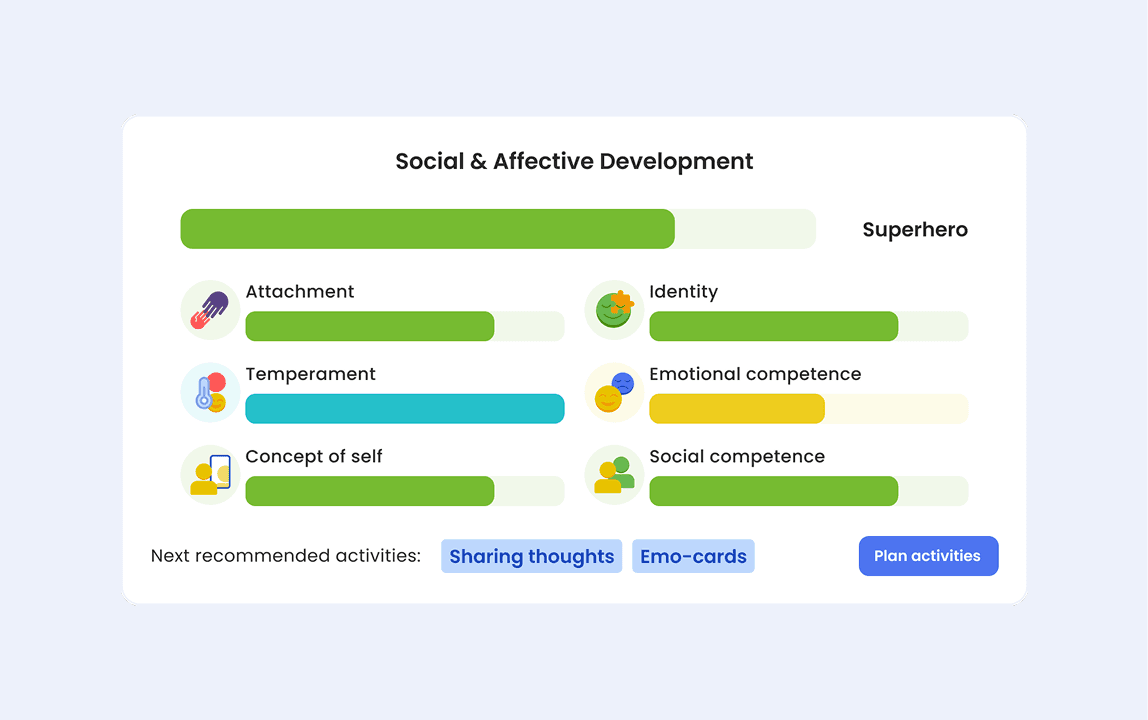
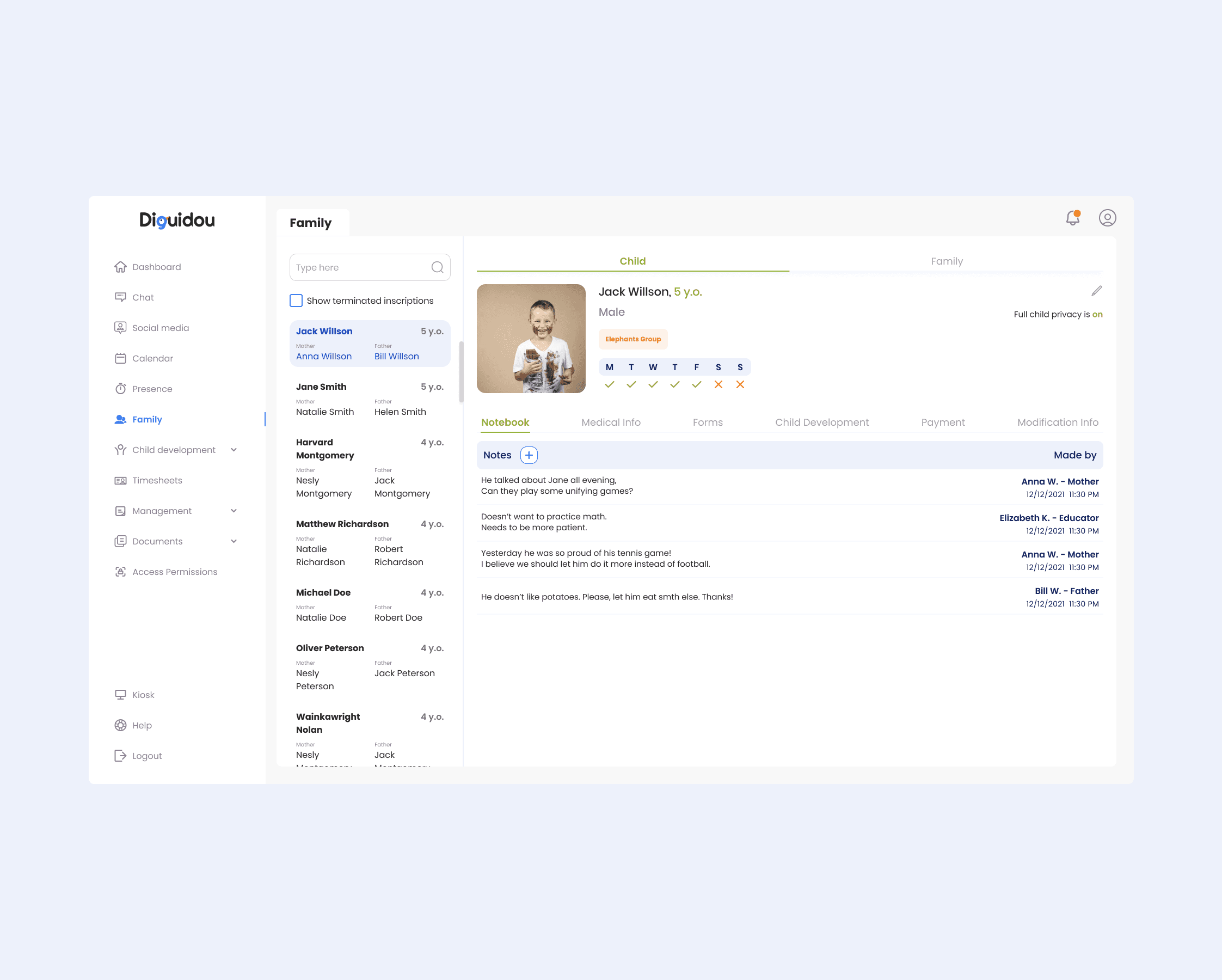
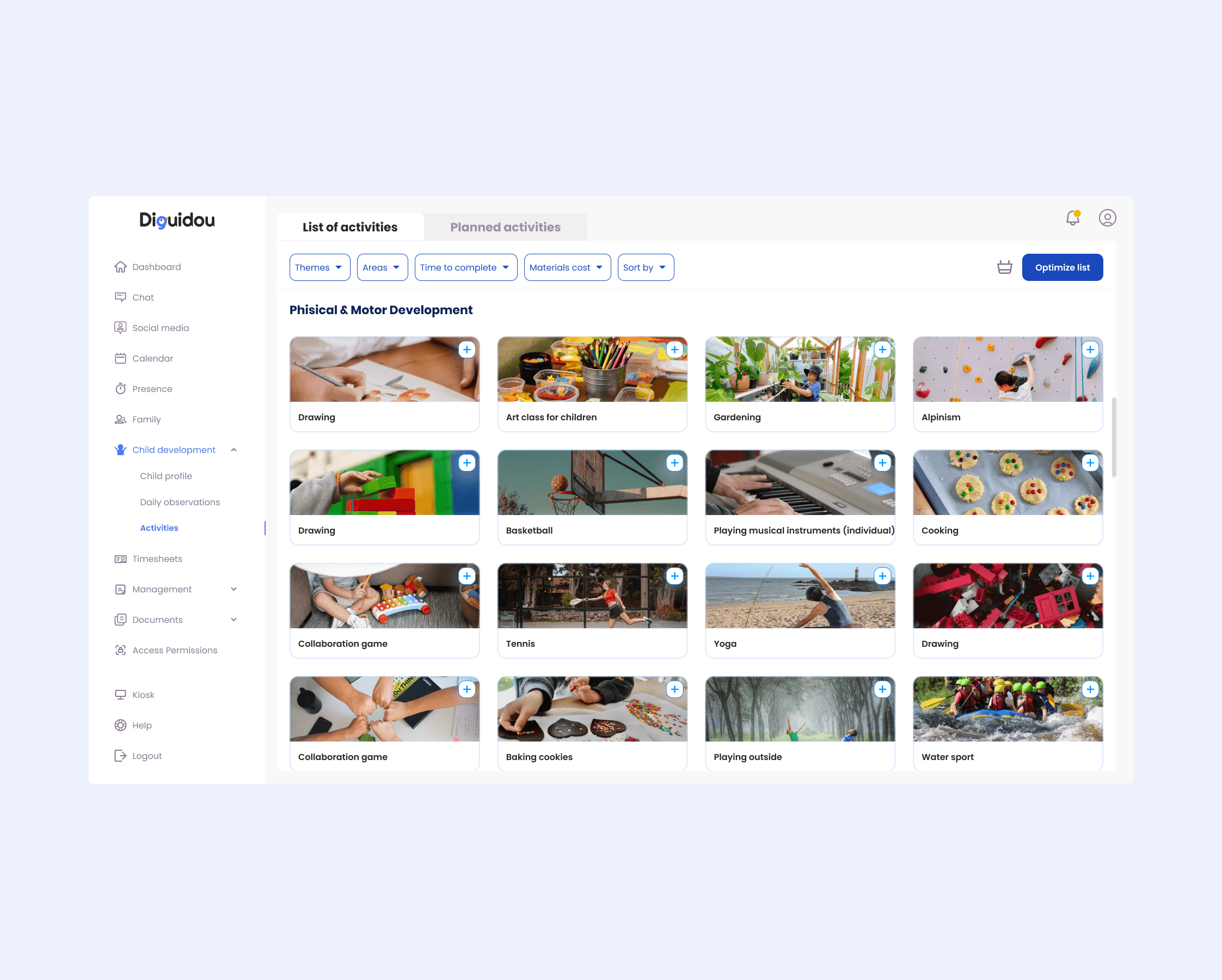
I designed a child development profile that consolidates observations into milestones, achievements, and next-step recommendations.
What I designed
Unified child profile → One place for key details, observations, and progress (no scattered notes)
Milestones & achievements → A clear, structured way to record development over time
Recommendations for next activities → Less planning overhead and more consistent, personalised learning
Parent-friendly visibility → Parents can understand progress and support development at home
Validation
(QUALITATIVE, pre-launch feedback)
Progress is easy to follow
Stakeholders could quickly see where a child is doing well and what needs support
Planning feels more actionable
Educators found recommendations helped turn observations into the next plan faster
Consistency across educators
A shared structure made progress easier to compare over time
Clearer parent updates
Parents can understand progress and support it at home
Deep dive 3
Parent–educator communication
problem
Communication with parents often happens across personal messengers, which creates missed messages, unclear context, and privacy boundaries for educators. Parents also struggle to know “what happened today” without asking repeatedly.
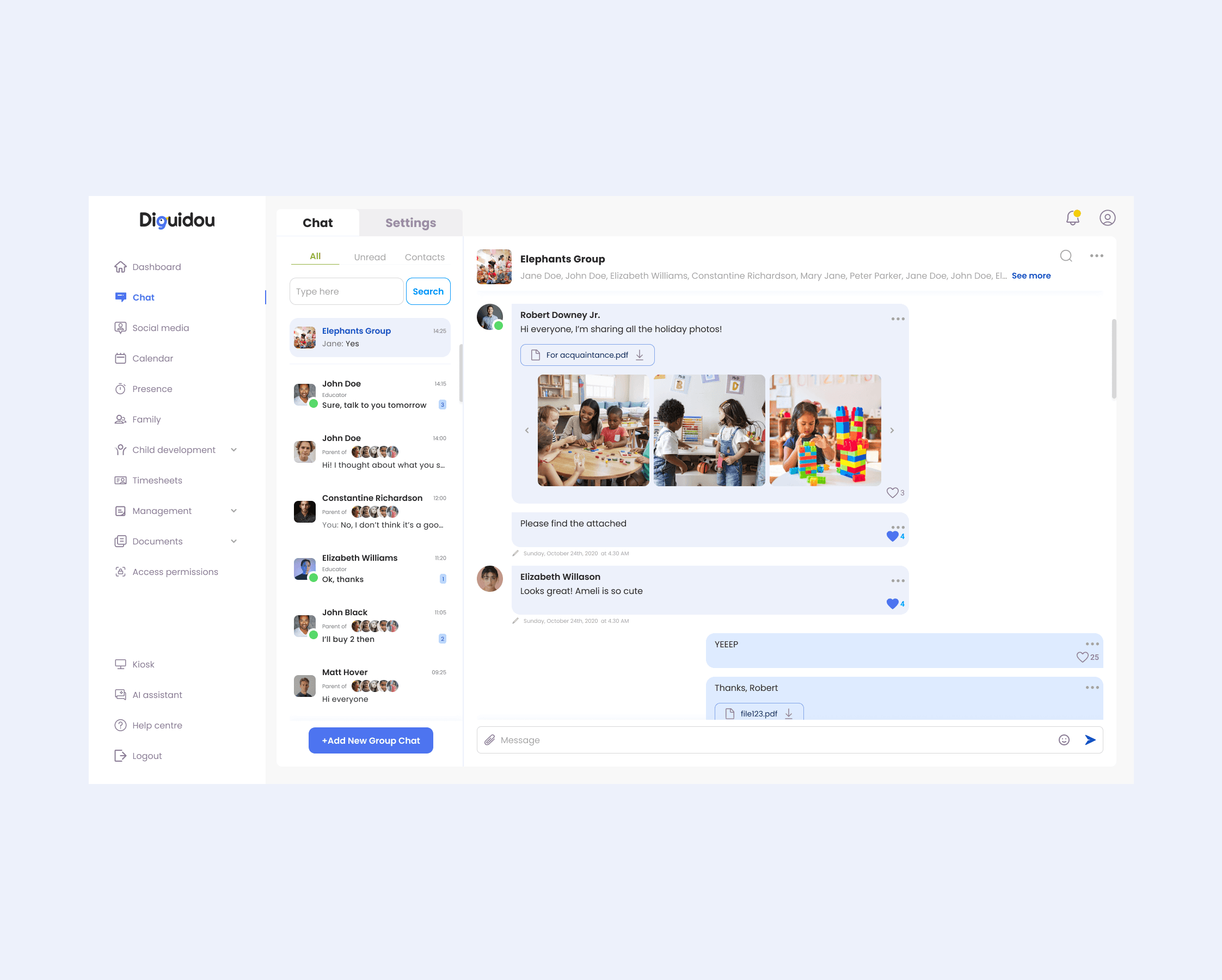
I designed in-app communication tied to the child’s context so updates and questions live in one place, without personal apps.
What I designed
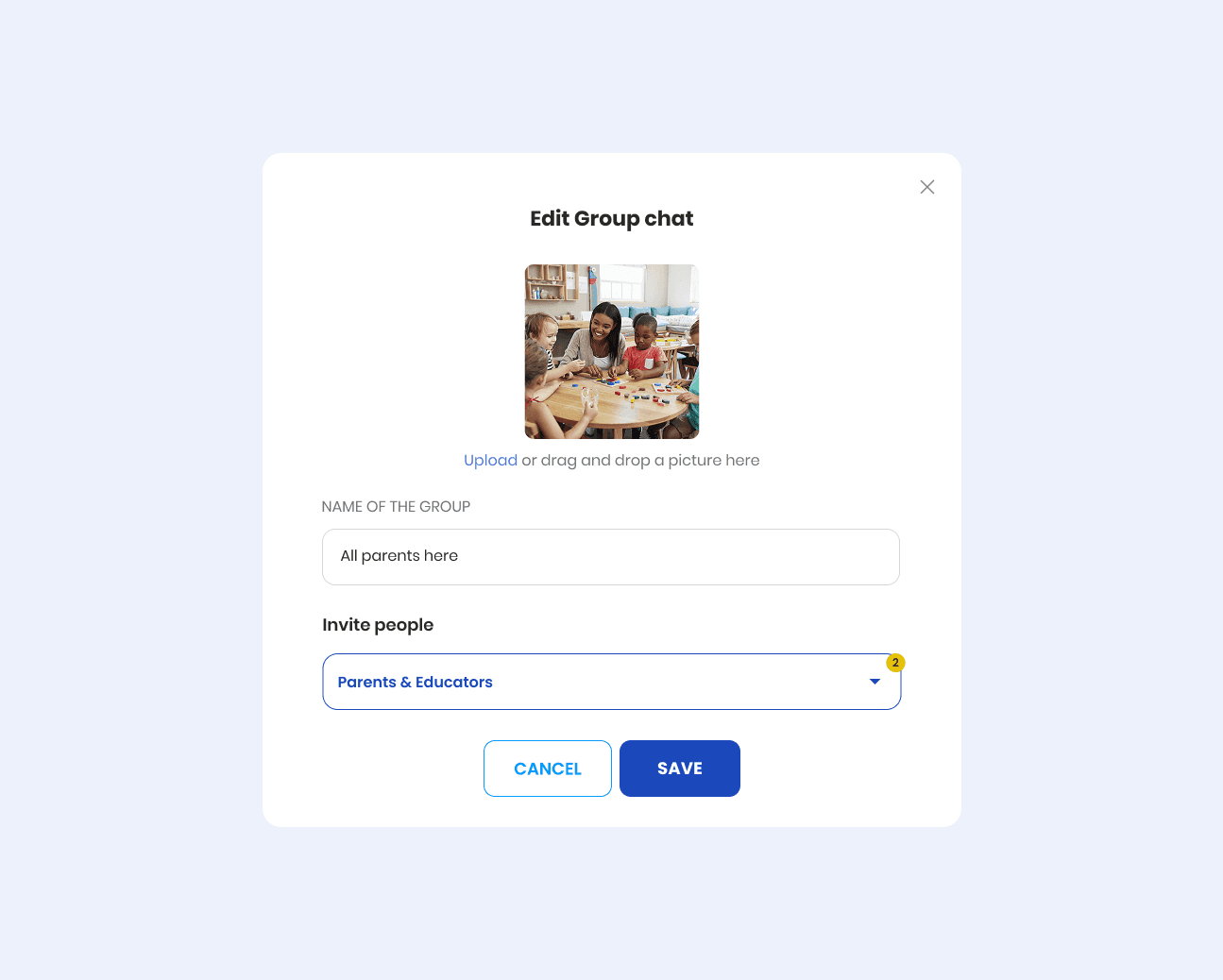
In-app messaging → Keeps communication inside the platform
Child-context conversations → Messages are connected to the child, updates, and requests (less back-and-forth)
Daily update surface → Parents can quickly see what happened today without asking
Structured info alongside chat → Key details remain accessible even when staff changes or shifts rotate
Validation
(QUALITATIVE, pre-launch feedback)
Feels safer
Educators preferred keeping parent communication out of personal apps
Parents find answers faster
Daily updates reduced the need to message educators for routine information
Better context over time
Keeping updates and conversations in one place made it easier to pick up where things left off